Pick up where you left off.
Two-way clipboard support for text and files keeps your work moving between computers.
In the preview Crystal
Get early access
Crystal
Get early access
YOUR WINDOWS COMPUTERS. TOGETHER.
Bring the power of your desktop to the screen in your hands. One beautiful app for the computers you call yours.
LESS SETUP. MORE POSSIBILITY.
Your apps. Your files. The desktop you know.
Crystal puts your computers within reach, with clear names and a simple choice: which one would you like to use?
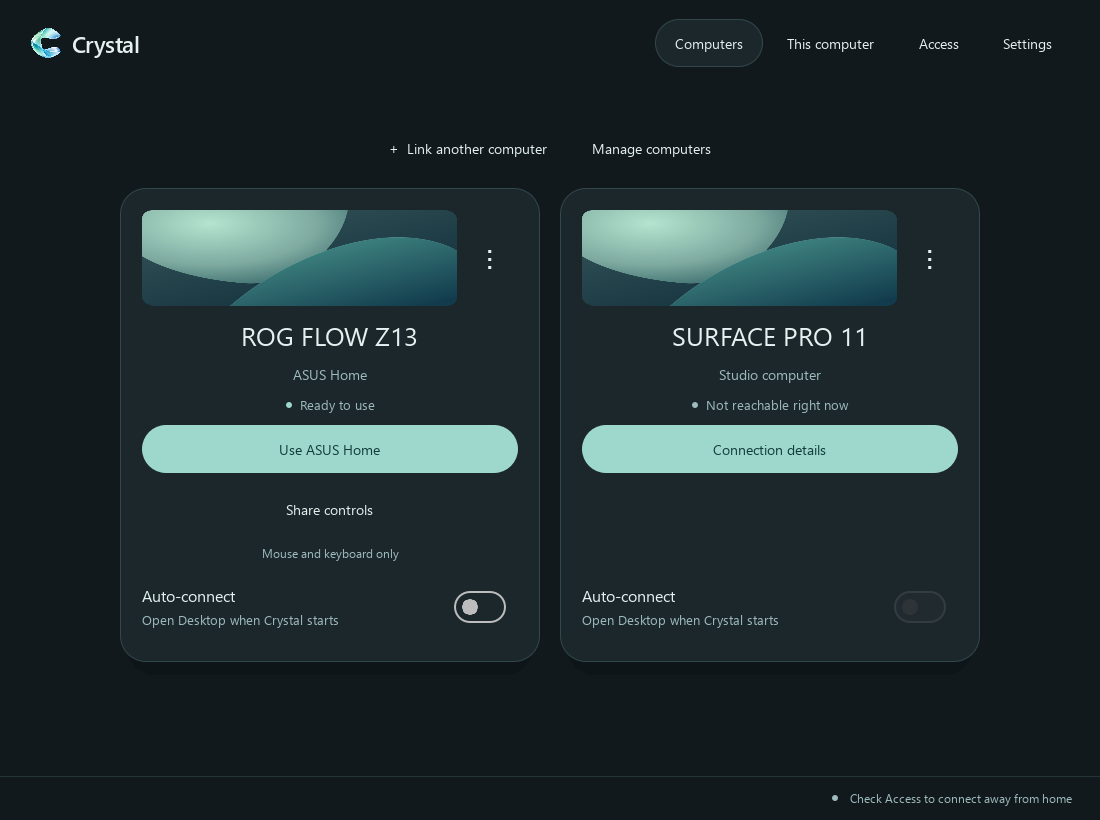
No puzzle about which app belongs on which computer.
See the computer’s model and name. Choose it. Settle in.
Choose which computers can be used, and when to allow access.
A CHANGE OF SCENERY.
Keep your powerful computer where it belongs. Take the screen you love to the place you’d rather be.
The sofa. The kitchen table. A different corner of home. Your desktop comes with you.
Your space.MORE THAN A MOUSE.
Write a thought. Sketch a shape. Move naturally between pen and touch. Crystal’s preview brings Surface input to your Windows desktop apps.
Pen, pressure, and touch behavior depend on the app and both computers. We’re testing and refining them in the preview.
Start something.
Try your pen, finger, or mouse here.THE LITTLE THINGS, CONSIDERED.
Thoughtful controls for the moments between opening your computer and getting lost in what you love.
Two-way clipboard support for text and files keeps your work moving between computers.
In the previewOptional microphone sharing lets the other computer use audio from the device you’re on.
Additional setup requiredHDR when both computers and their displays support it, with simple quality settings for your connection.
Compatible hardware requiredA mouse-and-keyboard-only mode is being refined for using your computers side by side, without sharing the screen.
ExperimentalMAKE IT FIT.
Match your viewing screen at 50%, 75%, or 100% resolution. Choose a lighter picture or every available pixel.
The other display must support the requested size. Changes apply to the next connection.A SHORTER PATH TO THERE.
Use the same installer on each Windows computer. Crystal detects x64 or ARM64 for you.
Complete the private connection setup with the same account. Allow access on the computer you want to use.
Find its name in Crystal, pair it, and open your desktop. Next time, optional auto-connect can take you there.
For a connection away from home, both computers need internet access. Keep the computer you want to use awake and connected.
Crystal is an app in development for connecting your Windows computers. It brings remote desktop streaming, private connections, and features such as pen input and clipboard sharing into one interface.
The Windows preview includes native x64 and ARM64 builds, and the installer selects the appropriate one automatically. Surface Pro 11 is a focus of our testing. Using an ARM computer from another computer remains experimental.
That’s the idea. Set up the private connection on both computers before you leave. Your computer at home needs to stay awake and online, and your other computer needs a working internet connection, such as Wi-Fi or a phone hotspot. Picture quality and responsiveness depend on the connection.
Crystal is designed for both roles in the same app. Allow access on a computer, then choose it from the other. Availability depends on that computer’s graphics and capture support; the ARM receiving side is still experimental.
Not yet. Crystal is in active preview development. Pen and touch, microphone setup, shared controls, and changing display resolution still need testing across more hardware. Early access is for people who are comfortable trying unfinished software and sharing feedback.
Extend screen is on the roadmap. It is not included in the current preview. Crystal currently lets you use an existing desktop remotely.
Public pricing and release plans have not been announced. Request early access to ask about the preview and what comes next.
A LITTLE MORE FREEDOM.
We’re building Crystal for people who want their computers
to feel closer together. Come help shape what’s next.